Setup
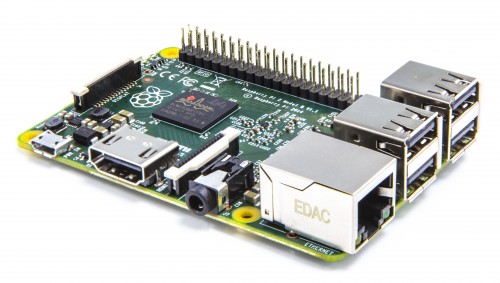
Once you've got your Raspberry Pi, SD card and Micro USB charger your nearly ready!
Grab the Raspbian image from http://www.raspberrypi.org/downloads and follow the instruction on their site to install the dirstro on the SD card. Then insert the card into your Raspberry Pi and plug in the power.
The only other cable I have connected to the Raspberry Pi is an Ethernet cable which goes into the Sky Hub (My ISPs router).
Now without a keyboard and display attached we need a way to connect to the device. We will use a terminal (think DOS / CMD ) to do this. Personally I use SupperPutty which requires Putty .
Next we are going to need to know where the Raspberry Pi sits on our network. The easiest way I find it to log into my router.
If you need to know your routers IP then you can get this a variety of ways: ipconfig from Windows CMD, ifconfig in OSX and Linux or finding the default gateway via the adaptors status option (Windows again):
Most routers will display a list of attached devices. Now the Raspberry Pi won't have a hostname so you might have to just try and SSH to some of the listed IP's until you find the right one. A MAC starting with b8:27:eb belong to the Raspberry Pi Foundation so that's a good start if you see it.
Your router might also give to you the option to assign one of your private IP's to the Raspberry Pi so it picks up that same address on your local network every time. I highly recommend this. As shown in the table pic below:
Later on if you find you want access to your Raspberry Pi from elsewhere you can then setup a firewall setting on your router to allow SSH though and to a specific private IP on your home network. Obviously you will need to know your public IP that the router has to connect to the internet, this will either be dynamic requiring you to use a dynDNS service like no-ip.com , or a static IP which your ISP can inform you of.
Once we know our IP we can now use that terminal client to connect.
Notice that the host was 10.0.0.11 in my case. In yours it might be something like 192.168.0.x etc. Also the default username and password as mentioned on the download site are U: pi and P: raspberry .
Getting started with the command line interface CLI
First and formost you don't want others to access the Pi. With those default settings anyone could get on.
To change the password of the login Pi with elevated privileges we use:
sudo passwd
We will get prompted to input the new password twice and then it is set and confirmed with the output:
passwd: password updated successfully
Next up is some housekeeping. Run the following to check and make sure the software is fully up-to-date:
sudo apt-get update
sudo apt-get upgrade
The Pi does not comes with a battery and thus replies to NTP servers for getting to correct time. Using the command:
date
Will display the current time and date that the Pi has taken from NTP server set.
Next up is a command that lets to change rather a lot of options to do with the Raspberry Pi:
sudo raspi-config
This guide is work in progress and not yet fully complete. Please leave comments if you would like to see more or if there is anything else I have missed that you think should be included.